ဘေလာ့ခရီးသည္ ေမာင္လင္းခုိင္ဦး မွ ေမတၱာပို႕သလိုက္ပါ၏ က်န္းမာခ်မ္းသာလို႕ အစစအဆင္ေျပၾကပါေစ

Infinity Blade Download FREE

iphone/ipad/ipod appstore မွာေဒါင္းနုိင္ပါျပီ။ ခန္္းေတြးအရန္လွပါတယ္ ခုဆုိappstore free ျဖစ္ပါတယ္

ကၽႊန္ေတာ္YouTube ကုိၾကည့္နဳိင္ပါတယ္

Youtube မ်ားကုိၾကည့္နုိင္ပါသည္

Premier League online

Premier League online ကေနေဘာလုုံးပဲြေတြကုုိတုုိတ္ရုုိတ္ၾကည့္လုုိ့ရမယ့္ဆုုိဒ္အင္တာနက္ေကာင္ပုုိလုုိတယ္ေနာ္enjoy live sport

FOR iphone ipad Kuaiyong 2013 + update iOS7

Kuaiyong ေလဟာဖြင့္မရတဲ့ ျပသနာေတြ ခုဆိုမ်ားႀကီေကာင္းသြားပါၿပီ AppStore က app ေတြလည္ေဒါင္းရပါတယ္

ေနာက္ဆံုးထြက္- Windows 8.1 PRO Preview (32-bit)

Microsoft မွ ေနာက္ဆံုး ထုတ္လုပ္ထားတဲ့ Windows 8.1 Professional Preview ကို တင္ေပးလိုက္ပါတယ္။

Showing posts with label ကြန္ျပဴတာေဆာ့ဝဲမ်ား. Show all posts

Saturday, January 17, 2015

ကြန္ပ်ဴတာအတြက္အလန္းဆံုး window player skin

မဂၤလာပါခင္ဗ်ာကၽြန္ေတာ့္ကိုအားေပးေနၾကေသာသူငယ္ခ်င္းမ်ား ကၽြန္ေတာ္ေဖ့ဘုတ္ေပ့ေလး 10000ျပည့္တဲ့အေနျဖင့္ ကြန္ပ်ဴတာအတြက္အလန္းဆံုး player plugin skin ေလးေတြကို စုစည္းျပီးျပန္တင္ေပးလိုက္ပါတယ္ကၽြန္ေတာ့္ဆိုဒ္ေလးကိုလာလည္ၾကေသာသူငယ္ခ်င္မ်ားေအာက္မွာ
ပံုေလးေတြနဲ႔ျပထားပါတယ္သူငယ္ခ်င္းၾကိဳက္ရာကိုေရြးျပီးေဒါင္းသြားႏိုင္ပါတယ္

                                               BlueYe Download
                                                    Alienware DarkStar
                                                       Windows Media Play                    
                                                          Pioneer AVIC-N3
                                                         sony xplod
                                                             Iphone
                                                           X-FHL WMP
                                                    DarkSide_2.0.wmz

Windows 10 Technical Preview (32-bit+64-bit) (2014 October 1-ရက္ေန႔မွာ Microsoft က အသစ္ထုတ္လုပ္လိုက္တဲ့ Windows 10)


2014 October 1 ရက္ေန႔မွာ Microsoft က အသစ္ထုတ္လုပ္လိုက္တဲ့ Windows 10 Technical Preview (32-bit+64-bit) ကိုတင္ေပးလိုက္ပါတယ္။ စတင္ထြက္လာခါစ ျဖစ္လို႔ Technical Preview တခုပဲ ထြက္ ပါေသးတယ္။ Microsoft ကေနတိုက္ရိုက္ေဒါင္း လုပ္ယူျပီး လင့္ျပန္တင္ေပးလိုက္ပါတယ္။ ကိုယ္ပိုင္လင့္ေတာ့ ဟုတ္ဘူးေနာ္ က်ေနာ့္ ဆရာ ျဖစ္တဲ့ ကိုေအာင္ ဆိုဒ္ကေန သြား မလာတာ။ ေအာက္မွာ -Original Key (32&64)....ပါ တြဲေပးထားပါတယ္။ 
ဘယ္လိုေကာင္း သလည္း ဆိုတာ မသံုးၾကည့္ရေသးတာမို႕ ကိုယ္တိုင္ပဲ တင္ျပီးစမ္းသံုးၾကည့္ပါဗ်ာ။ အသစ္ စက္စက္ ေလးေတြ႕တာနဲ႕ အားရပါးရ ေကာင္တင္လိုက္တာပါ။ Screenshoots ေတြၾကည့္ ရတာေတာ့ တကယ့္ လန္းပဲဗ်ာ (9++++) ။ တခုရွိတာကေတာ့ ေခတ္ေဟာင္း ကြန္ပ်ဳတာေတြမွာ အသံုးျပဳ လို႕အဆင္ မေျပ နိုင္ပါဘူး။ Window 10 အေၾကာင္း အျပည့္စံုသိခ်င္ရင္ေတာ့ ဒီလင့္မွာ ျမန္မာလို ရွင္းျပထားပါတယ္။
စိတ္၀င္စားရင္ ေအာက္ကလင့္မွာ ၀င္ဆြဲ နိုင္ပါျပီ။

-Original Key (32&64)..

NKJFK-GPHP7-G8C3J-P6JXR-HQRJR

Screenshoots


အားလံုးအဆင္ေျပပါေစ.......။

Wondershare DVD Slideshow Builder Deluxe 6.2 (Full Version) (ပံုေတြကို ေနာက္ခံသီခ်င္းေတြနဲ႕ Slideshow ဖန္တီးလို႕ရတဲ့ ေဆာ့၀ဲလ္)

ဒီေဆာ၀ဲေလးကေတာ့ Computer သမားေတြအတြက္ ပံုေတြကို ေနာက္ခံ သီခ်င္းေလး နဲ႕ Slideshow လုပ္တဲ့ ေဆာ၀ဲ ေလးပါ။ အရမ္းလည္း လန္းပါတယ္။ Effect ေတြေတာ္ေတာ္ စံုလင္ပါတယ္။ ကိုၾကိဳက္တဲ့ Effect ကိုသံုးလို႕ရပါတယ္။ ဒီေဆာ့၀ဲက Photo Slideshow ဖန္တီးေနတဲ့ ေဆာ့၀ဲလ္ေတြ အမ်ားစုမွာ အလြယ္ဆံုးနဲ႕ Effect ေတြ အစံုလင္ဆံုးျဖစ္ပါတယ္။
Full Version သံုးလို႕ရေအာင္ Crack ဖိုင္ ပါေပးထားပါတယ္။ ေဆာ့၀လ္ကို ေဒါင္းျပီးလို႕ Install ျပီးရင္ Crack Foloder ထဲက DSB.exe ကို C/Progrem File (Or) C/Program File x86/Wondershare/DVD Slideshow Builder Deluxe ရဲ႕ Foloder ထဲမွာ Copy And Paste လုပ္ပါ။ ျပီးရင္ Full Version အျဖစ္ အသံုးျပဳ ႏိုင္ပါျပီ။ ဖုန္းသမားေတြလည္း Slideshow ဖန္တီးခ်င္ရင္ ဒီလင့္မွာ ဖုန္းအတြက္ တင္ထားေပး ပါတယ္။
Wondershare DVD Slideshow Builder Deluxe 6.2 ကိုေတာ့ ေအာက္ကလင့္မွာ ေဒါင္းယူနိုင္ပါျပီ။
App Screenshoot
အားလံုးအဆင္ေျပပါေစ.......။

Activated ျဖစ္ျပီးသား Windows 8.1 Pro WMC Sweet Dream (x86-x64) Update Aug 2014


Window 8.1 ေနာက္ဆံုးထြက္ ဒီဇိုင္းအသစ္ေလးနဲ႕ ထြက္လာပါတယ္။ ဒီ Version မွာေတာ့ အရမ္းလန္းတဲ့ ဒီဇိုင္းပံုစံေလးေတြ ထည့္သြင္းေပးထားပါတယ္။ ေနာက္ျပီး Activated ျဖစ္ျပီးသားမို႕ Window တင္ျပီးတာနဲ႕ Activated အျဖစ္ အသံုးျပဳႏိုင္ပါျပီ။ သံုးရတာလည္း အရမ္းပါ့ပါးတယ္။ Window 32Bit ေရာ 64Bit ပါ ပါ၀င္ တာေၾကာင့္ အရမ္းကို အဆင္ေျပပါတယ္။ 
Windows 8.1 Pro WMC Sweet Dream Edition (x86 & x64) ရဲ႕ Icon,Themes,Wallpapers မ်ားအားလံုး အသစ္ေတြ ျဖစ္ျပီး အလန္းၾကိဳက္သူမ်ား သေဘာက်ေစမဲ့ Edition ေလးျဖစ္ပါတယ္။ အသစ္စက္စက္ ၊ေလးေတြ သံုး ခ်င္တဲ့ သူေတြအတြက္ က်ေနာ္ကိုယ္တိုင္ အပင္ပန္းခံျပီး Uplode တင္ထားတာပါ။ ဘာ Skip AD ၊ေၾကျငာ မွ ခံမထားပါဘူး။ ဖိုင္ကိုလည္းခြဲမထားပါဘူး။ One Click နဲ႕ အဆင္ေျပေျပ ေဒါင္းႏိုင္ပါျပီ။
Window ကိုေဒါင္းျပီးရင္ USB 8GB သို႔မဟုတ္ DVD-R မွာ Bootable Image အျဖစ္ Burn ျပီး Windows တင္ပါ။ Activated လုပ္ထားေပးျပီးျဖစ္လို႔ Activate လုပ္ရန္မလိုေတာ့ပါ။ စိတ္၀င္စားရင္ ေအာက္ကလင့္မွာ ၀င္ေဒါင္းနိုင္ပါျပီ။

File Size 4.15GB
Screenshoots 


အားလံုးအဆင္ေျပပါေစ.......။

Sunday, October 19, 2014

screen capture ရိုက္ခ်င္ သူမ်ားအတြက္ BSR Screen Recoder

မိမိကြန္ပ်ဴ တာကို screen capture ရိုက္ခ်င္ သူမ်ားအတြက္ အရည္အေသြး ျပည္ ့မိီွ တဲ ့ BSR Screen Recoder ေလးကို ျပန္လည္မ်ွ ေဝ ေပးျခင္ ပါတယ္။ က်ဴ တိုရီယမ္ လုပ္ခ်င္ သူမ်ား အတြက္ အထူး သင္ ့ေလ်ွာ္ ပါတယ္။ ရုပ္ထြက္ လည္း ၾကည္လည္ ျပတ္ သားမွဴ  ့ရိွ တဲ ့အျပင္ မိမိနွစ္သက္သလို video တည္းျဖတ္ တာလည္း လုပ္နိုင္ပါတယ္။ဖိုင္ဆိုဒ္ ကေတာ ့ ( 27MB ) ရိွ ပါတယ္ Full Version အသံုးျပဳ လို ့ရေအာင္ series keys ပါထည္ ့သြင္းထားေပးပါတယ္။series keys ထည္ ့တာ ကေတာ ့လြယ္ပါတယ္ BSR Screen Recoder ရဲ ့ option / about / buy ဆို တဲ ့ေန ရာေလး မွာ ထည္ ့သြင္းေပးရမွာ ျဖစ္ပါတယ္။အသံုးျပဳ မယ္ဆို ရင္ေအာက္မွာ ယူသြားလိုက္ပါ။
ေအာက္မွာ series keys ထည္ ့ဖို ့အတြက္ screen shoot ပံုေလးေတြ ကိုပါေဖာ္ျပေပးထားပါတယ္။
ေဒါင္းလုပ္ယူရန္ /  solidfiles , google drive

အသစ္တင္တိုင္း facebook ကေန ဖတ္ မယ္ ဆို ရင္ ဒီမွာ like လုပ္ေပးထားပါ။

Genuine ျဖစ္ျပီးသား ေနာက္ဆံုးထြက္ Windows 7 Regal Business Edition 2014 SP1 x86 Activated (3.42 GB)


အခု ၉-လပိုင္း(Sep/2013) မွာ ထြက္လာတဲ့ Windows 7 Regal Business Edition 2014 SP1 x86 ကို
တင္ေပးလိုက္ပါျပီ။Icon,Folder Icon,Startup Menu,Gadget,Windows Theme မ်ား တကယ္လန္းျပီး
ဂိမ္းၾကိဳက္သူမ်ားအတြက္ ဂိမ္းေတြကို ျမန္ျမန္ဆန္ဆန္ ကစားနိုင္တဲ့  Windows 7 Regal Edition ျဖစ္ပါ
တယ္။Desktop Gadget လဲ (၂ဝဝ) ရာေက်ာ္ပါဝင္ပါတယ္။
Activated လုပ္ေပးျပီး Genuine ျဖစ္ျပီးသားမို႔ Activate ထပ္၍ လုပ္စရာမလိုပါ။Boot လုပ္ျပီးတာနဲ႔ အသင့္
သံုးရံုပါဘဲ။
Windows 7 Regal Business Edition 2014 SP1 x86 မွာပါဝင္တဲ့ ေဆာ့ဝဲေတြကေတာ့...
Adobe Flash Player(IE)
Adobe Flash Player(Non IE)
(Browser ဖြင့္ျပီး Youtube မွအစ ဗီဒီယိုေတြ ၾကည့္ရင္တျခား Edition ေတြလို Flash Player သီးသန္႔
အင္စေတာလုပ္စရာမလိုပါ။)
CCleaner
Google Chrome
WiFi,Wireless,WLan Drivers မ်ားနဲ႔ အျခား Drivers မ်ား ကိုဝင္းဒိုးတင္ျပီးတာနဲ႔ စက္မွာ အင္စေတာလုပ္ျပီး
သားေတြ႔ရပါမယ္။
စိတ္ဝင္စားလို႔ သံုးၾကည့္ခ်င္ရင္ ေအာက္မွာေးါင္းလုပ္ယူလိုက္ပါ။ဖိုင္ဆိုဒ္က 3.42 Gb ျဖစ္လို႔ RAR ဖိုင္ (၆)ဖိုင္ခြဲ
ျပီးတင္ထားေပးပါတယ္။
ဖိုင္(၆)ဖိုင္လံုးကို ေဒါင္းလုပ္ယူျပီး Select All လုပ္ပါ။ျပီးရင္ WinRAR နဲ့ Extract လုပ္ပါ။Windows ISO ဖိုင္တဖိုင္ထဲျပန္ထြက္လာပါမယ္။
(ဖိုင္ခြဲတာက WinRAR နဲ႔မို႔ Select All လုပ္ျပီး WinRAR နဲ႔ Extract လုပ္ရံုပါ။ဘာျပႆနာမွမရွိပါ။)
ISO ဖိုင္ကို DVD (သို႔) USB Flash Drive (4 Gb) မွာ Power ISO/Windows 7 USB Tool တို႔ကိုသံုးျပီး
Bootable Image အျဖစ္ Burn ပါ။ျပီးရင္ ဝင္းဒိုးတင္နိုင္ပါျပီ။

***Kaspersky/AVG/MSE တို႔ျဖင့္ Virus Scan Checked လုပ္ျပီးသားျဖစ္လို႔

  စိတ္ခ်လက္ခ် အသံုးျပဳနိုင္ပါတယ္။***

Part 1    Download

Part 2   Download

Part 3   Download

Part 4   Download

Part 5   Download

Part 6   Download

             Screen Shots မ်ား....ၾကည့္ရန္  ဒီမွာ ကလစ္ပါ

Tuesday, May 27, 2014

PowerISO 5.9 Datecode 20.05.2014႕For Window 32bit, 64 bit with Keygen Full Version Free Download

 PowerISO ေဆာ၀ဲေလးကိုေတာ့ အေခြ Burn ဖို႕Window  32bit, 64 bit တို႔အတြက္က်ေနာ္တင္ေပးလုိက္ပါတယ္။ ဒီ Power ISO softwareအရမ္းအသံုး၀င္ပါတဲ့ software ျဖစ္ပါတယ္။ မိမိ သိမ္းခ်င္တဲ့ Data ဖိုင္ေတြကို PowerISO ေဆာ၀ဲေလးနဲ႕ CD/DVD အေခြ ထဲ Burn ျပီး သိမ္းဆည္းထားလို႕ ရပါတယ္။ ထို႕အျပင္ MP3/AVI/ISO/MPEG/MP4 အစရွိတဲ့ ဖိုင္ေတြကို DVD အေခြထဲ Burn လို႕ရပါတယ္။ သံုးရတာလည္းအရမ္းကိုလြယ္ကူပါတယ္။

ISO ဖိုင္ေတြကို Extract လုပ္နိုင္ပါေသးတယ္။ ျပီးေတာ့ အျခား Data ဖိုင္ေတြကိုလည္း ISO ဖိုင္အျဖစ္ Archive လုပ္နိုင္ပါေသးတယ္။ ထို႕အျပင္ ISO ဖိုင္မ်ားကို CD/DVD/USB Stick မ်ားမွာ Bootable Image အျဖစ္ Burn နိုင္ေသာေၾကာင့္ လူတိုင္း ေဆာင္ထားသင့္ပါတယ္။
ေဆာ၀ဲကို Install ျပီးရင္ Name ႏွင့္ Serial ကို ထည့္ျပီး Activated လုပ္ပါ။ ျပီးရင္ Full Version အသံုးျပဳလို႕ ရပါျပီ။ စိတ္၀င္စားရင္ ေအာက္ကလင့္မွာ စိတ္ၾကိဳက္ ေဒါင္းယူနိုင္ပါျပီ။
Create, edit, extract, convert, compress, encrypt, mount CD image file!!! PowerISO is a powerful image processing and file compression tool, which allows you to create, extract, compress, edit and convert ISO/BIN image files, and mount these files with internal virtual drive. And most of all, the compressed files can be used directly without decompressing.

Support ISO, BIN, NRG, IMG, DAA,
Open, Create, Edit, Extract ISO File
Compress, Encrypt, Split ISO File
Integrated with internal Virtual Drive

Main Features:

    Support almost all CD/DVD-ROM image file formats (ISO, BIN, NRG, IMG, DAA and so on).
    Note: DAA (Direct-Access-Archive) is an advanced format for image file, which supports some advanced features, such as compression, password protection, and splitting to multiple volumes. It can be handled directly just like other formats, such as ISO, BIN,
    Supports on-the-fly burning.
    Supports UDF image file.
    Create image file from hard disk files or CD/DVD-ROM.
    Edit an existing image file.
    Can edit and burn Audio CD image file.
    Extract files and folders from image file.
    Convert image files between ISO/BIN and other formats.
    Make bootable image file, get boot information from bootable image file.
    Make floppy disk image file.
    Optimize files to save disk space while saving image files.
    Mount image file with internal virtual drive. Even if the image file is saved as DAA format, the virtual drive can handle that format directly.
    Support shell integration, such as context menu, Drag and Drop, clipboard...
    Supports command-line parameters.
    Can open XBOX image file.
    Supports multiple languages


Supported operating systems:32-bit Windows: Windows 98, Windows Me, Windows 2000, Windows XP, Windows 2003, Windows Vista, Windows 2008, Windows 7
64-bit Windows: Windows XP, Windows 2003, Windows Vista, Windows 2008, Windows 7

Supported languages: English, Arabic, Bulgarian, Chinese Simplified, Chinese Traditional, Croatian, Czech, Danish, Dutch, Farsi, French, German, Greek, Hungarian, Italian, Japanese, Korean, Lithuanian, Norsk, Polish, Portuguese, Russian, Slovenian, Spanish, Swedish, Thai, Turkish, Ukrainian


Download Here
===

Wednesday, April 30, 2014

Everimaging Photo Effect Studio Pro v4.1.3 Incl Reg

http://www.freedownload.ir/img/img132/Everimaging-Photo-Effect-Studio-4-www.freedownload.ir.jpg
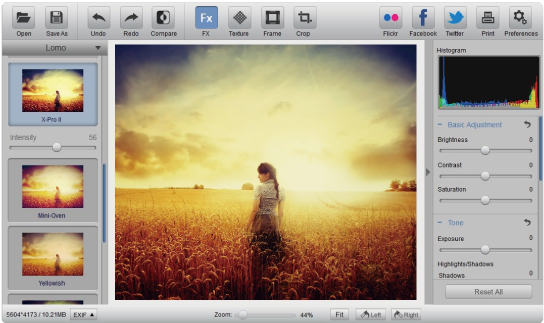
ဓါတ္ပံုေတြကို Editing လုပ္ခ်င္သူမ်ားအတြက္ Software ေကာင္းေကာင္းေလးတစ္ခုတင္ေပးလိုက္ပါတယ္ဗ်ာ။ Everimaging Photo Effect Studio Pro ဆိုတဲ့ Software ေလးျဖစ္ပါတယ္။ Photo Effect ေပါင္း 100 နီးပါးပါ၀င္ ပါတယ္ဗ်ာ။ Edit လုပ္ဖို႕အတြက္ Tools ေပါင္းမ်ားစြာပါ၀င္ပါတယ္။ Photoshop ထက္ေတာင္ ပိုမိုက္ေသးတယ္ ဗ်ာ။ ေနာက္ျပီးေတာ့ Edit လုပ္ထားျပီးသားပံုမ်ားကို Facebook ေပၚတင္ခ်င္တယ္ဆိုလည္း တိုက္ရိုက္တန္းျပီး တင္ႏိုင္ပါေသးတယ္ဗ်ာ။ Full Version အေနနဲ႕ Registry File ပါထည့္ေပးထားပါတယ္။ Double Click ႏွိပ္ျပီး Run လိုက္ရံုပါဘဲ။ ဒီထက္ပိုျပီးအေသးစိတ္ သိခ်င္တယ္ဆိုရင္ေတာ့ ေအာက္မွာအေသးစိတ္ရွင္းျပေပးထားပါ တယ္ဗ်ာ။


http://www.everimaging.com/images/pes_b_01.png

http://a2.mzstatic.com/eu/r30/Purple/v4/e3/93/6f/e3936f2d-13a8-33b9-baca-7a7142c33b21/screen800x500.jpeg

http://s19.postimg.org/bruf4v01v/07_11_2013_11_03_06.png

https://blogger.googleusercontent.com/img/b/R29vZ2xl/AVvXsEgc91EomSee7nLSaVuNRwVXARRuc0wv6T0wQz_flADqs1Ej29XUmH8aPEppXbhIHbIkxFLO8ydPkNTeP_7YZPebF8nJPaJvt1HIfejqbnkByT39MTOYkcqzCf0d38kQoh-G0lcfWm8Fxnc/s320/logo.png

Nearly 100 effects for whatever look you can imagine! Our powerful photo effects are carefully developed with professional photographers and graphics designers for your every image editing need. We pride ourselves on making some of the most exciting filters available today with more on the way. Let your inner Artist free, create unlimited photo effects and share your vision with the world!
Highlights:
- Nearly 100 effects for whatever look you can imagine
- Liftoff with more navigation options and smoother interface
- Allow for many levels of fine tuning
- Combine color effects and textures freely
- Multiple Color Management
Add Frames for that finishing touch
When you’re done editing, select from more than 30 frames to give your photo an extra degree of sophistication. Designed by our artists, they’ll beautifully enhance your work.
Liftoff with more navigation options and smoother interface
Our new version has been beta tested by leading photographers, graphics designer and Mac users all around the world to ensure that everything any photo enthusiast would ever need is included.
Allow for many levels of fine tuning
It’s all there, including: Exposure, Brightness, Saturation, Rotate, Curve adjustment, Color Balance, Color Temperature and Tint adjustment, Lens Correction, Highlight/Shadow adjustment, White and Black point adjustment, plus many fine tuning options.
Combine color effects and textures freely
Huge number of highly customizable Effects, Vignettes and Frames, which can be combined using our unique overlapping, layered technology. Select any FX photo effect from nearly 100 base designs, then add a texture and complete your creation with the frame of your choice.
Multiple Color Management
Superior Color management including: sRBG, AdobeRGB, and ProPhoto color space.


**  Step-1.ေအာက္က Download Button ကိုႏွိပ္လိုက္ပါ
**  Step-2. "5sec". ေလာက္ေစာင္႕ေပးပါ။

**  Step-3. "  << SKIP AD >>   ".ကိုႏွိပ္ေပးပါ။
**  Step-4. Download Link က်လာပါလိမ္႕မယ္။
**  အဆင္ေျပပါေစဗ်ာ။

Download   Download

Wednesday, March 5, 2014

ပိုတိုေရွာ့အတြက္အသင့္ျပဳလုပ္ျပီးသား 3D စာလံုးစတိုင္(11.82MB)


ပိုတိုေရွာ့မွာစာလံုးေတြကို 3Dစတိုင္နဲ႔ေရးခ်င္သူမ်ားအတြက္အသင့္ျပဳလုပ္ျပီးသား 3D စာလံုးစတိုင္ကိုတင္ေပးလိုက္ပါတယ္ သူငယ္ခ်င္းတို႔စိတ္ၾကိဳက္စာေရးျပီးျပန္ျပင္လို႔ရပါတယ္ဗ်ာ။3D စာလံုးစတိုင္ေလးကိုၾကိဳက္သြားရင္ေတာ့ေအာက္မွာေဒါင္းယူႏိုင္ပါတယ္ဗ်ာ
http://www.aungkyawthyu.com/

★★Adobe Premiere Pro CS6 6.0.0 LS7 Multilanguage + Crack (Full Version)★★


Adobe Premiere Pro CS6 ကိုေတာင္းဆိုထားၾကတဲ့သူငယ္ခ်င္းေတြအတြက္တင္ေပးလိုက္ပါတယ္။
Full Version ျဖစ္ေအာင္ Crack ဖိုင္ေလးပါထည့္သြင္းေပးထားပါတယ္။၀င္းဒိုး 32/64 bit အားးလံုးအသံုး
ျပဳႏိုင္ပါတယ္။မိမိ၀င္းဒိုး bit ကိုေရြးျပီး Crack ဖိုင္ထဲက dll ကိုဘယ္လိုထည့္ရမလဲဆိုတာေဒါင္းေလာ့စ္ဖိုင္ထဲ
မွာေသခ်ာဖတ္ပါ။အင္စေတာမလုပ္ခင္ပထမဆံုးမိမိအင္တာနက္ကြန္နရွင္ကိုခဏပိတ္ထားေပးပါ။အင္စေတါ
လုပ္နည္းအဆင့္ဆင့္ကိုလည္းေသခ်ာအရင္ဖတ္ပါ။Photo/movie ေတြကိုအေကာင္းဆံုးတည္းျဖတ္ႏိုင္တယ္
ဆိုကိုေတာ့ေျပာစရာမလိုေတာ့ပါဘူး။ေအာက္မွာပံုေတြၾကည့္လိုက္ပါ။


Description:
Adobe® Premiere® Pro CS6 software combines incredible performance with a sleek, revamped user interface and a host of fantastic new creative features, including Warp Stabilizer for stabilizing footage, dynamic timeline trimming, expanded multicam editing, adjustment layers, and more. Ready to switch to the ultimate toolset for video pros?
Work natively with the latest mobile, DSLR, HD, and RAW formats; edit, trim, and adjust effects in real time; stabilize shaky footage; and enjoy a sleek, revamped user interface and expanded multicam support. Over 50 enhancements make switching to Adobe® Premiere® Pro CS6 software easy
Streamlined, highly intuitive user interface - See more of your video and less clutter thanks to a highly intuitive, customizable interface. New monitor panels include a customizable button bar; the new Project panel focuses squarely on assets and allows clips to be skimmed, scrubbed, and marked up for editing. A new audio track design, improved meters, and a revamped Mixer panel make working with sound easier than ever.
Enhanced Mercury Playback Engine - Work dramatically faster thanks to sweeping performance, stability enhancements, and support for NVIDIA Maximus dual-GPU configurations and certain MacBook Pro OpenCL-based AMD GPUs.† Adobe Mercury Transmit enhances integration with third-party I/O devices.
Fluid, high-performance editing workflow - Take advantage of the most requested editing enhancements, including over 50 new features to help editors switching NLEs move more comfortably to Adobe Premiere Pro.
Dynamic timeline trimming - Finesse your editing with precision using all-new advanced trimming tools. Trim clips your way — directly in the timeline via keyboard entry or dynamically in the Program Monitor using JKL shortcuts.
Warp Stabilizer effect - Easily stabilize a bumpy camera move or lock a shot automatically with the same powerful technology as in Adobe After Effects® software. The new GPU-accelerated Warp Stabilizer removes jitter and rolling shutter artifacts and other motion-related irregularities.
Expanded multicam editing - Quickly and easily edit multicam footage from as many cameras as you have on the shoot. Sync via timecode, switch between tracks in real time, and adjust color across multiple shots.
More intuitive Three-Way Color Corrector - Better manage the color in your projects with the more intuitive Three-Way Color Corrector for precise primary and secondary color correction. Instantly improve video image quality with Adobe Photoshop® style auto-correct functions.
New adjustment layers - Apply effects across multiple clips. Now you can create adjustment layers, similar to those in Photoshop and After Effects, to apply effects to clips on tracks below them. Easily create masks to adjust a selected area of a shot.
Improved, customizable monitor panels - Work the way you want and edit more fluidly. A less cluttered, customizable interface lets you focus on your media by letting you choose which buttons to show or hide in the monitor panels.
Even faster Project panel workflows - View, sort, and arrange media easier than ever with the redesigned Project panel. Edit faster with the ability to scrub and skim clips, set in and out points, and resize clip thumbnails.
Native DSLR camera support - Work natively with the footage shot with the latest video cameras, including ARRI Alexa, Canon Cinema EOS C300, RED EPIC®, and RED Scarlet-X cameras. Native support lets you start editing immediately, without transcoding or rewrapping the footage.
Enhanced, flexible audio tracks - Freely combine and pan mono and stereo clips. For more advanced audio workflows, new Multichannel master and Adaptive track types enable total audio routing flexibility and easy export to multichannel file types.
Adobe Prelude CS6 integration - Use Adobe Prelude to efficiently log footage, add comments and markers, and create rough cuts that can be brought into Adobe Premiere Pro. Comments and markers are associated with the media, making it easy to organize.
Adobe SpeedGrade CS6 integration - Easily export your Adobe Premiere Pro sequences into SpeedGrade CS6 for a complete finishing solution. Easily handle grading tasks like matching shots and creating consistent nuanced color to visually enhance your projects.
Uninterrupted playback - Edit, apply filters, and adjust their parameters, all during playback. Dynamically preview video by looping playback and adjusting parameters on the fly, thanks to the Mercury Playback Engine. (May require a supported GPU.)
Rolling Shutter Repair effect - Easily repair media with rolling shutter artifacts such as wobble and skew. Based on technology in the Warp Stabilizer, this powerful effect can be applied without stabilization and offers enhanced controls.
New Preset Browser - Access commonly used settings immediately using the new Preset Browser in Adobe Media Encoder CS6. Organize presets by category, set favorites, and customize your most frequently used encoding presets.
Performance and stability improvements - Encode video faster when outputting a single source to multiple outputs with Adobe Media Encoder CS6. Get a significant performance boost when using watch folders on a network.
New RED EPIC and RED Scarlet-X support - Take advantage of new support for RED EPIC 5K and RED Scarlet-X footage that lets you import it directly into Adobe Media Encoder CS6 for transcoding to HD and SD formats.
More popular device and format presets - Save time and encode content more easily by using Adobe Media Encoder presets that help ensure your video looks great on widely used output formats and devices, including mobile devices and HDTV.
New 64-bit Adobe Encore CS6 - Speed up your authoring workflow and get rock-solid performance and stability with Adobe Encore® CS6, now natively 64 bit. Open and save projects faster, and get dramatic performance working on demanding projects.
Faster MPEG import - Bring MPEG assets into Encore CS6 even faster as multiple import processes happen simultaneously in the background.
Pixel aspect ratio correction in previews - View the correct pixel aspect ratio when previewing DVD simulations, thanks to new pixel aspect ratio correction in Encore CS6.
Enhanced DVD and Blu-Ray Disc authoring - Get even more functionality when authoring DVDs and Blu-ray discs. New 64-bit Encore CS6 adds support for 8-bit color for highlight buttons and menu color quality enhancements and lifts the 99-slide restriction for Blu-ray slide shows.
Enhanced web DVD authoring - Create powerful web DVD experiences that replicate all the functionality of their Blu-ray Disc counterparts, thanks to new web DVD support for pop-up menus, multipage menus, and looping menu playback.
System requirements Windows
•Intel® Core™2 Duo or AMD Phenom® II processor; 64-bit support required
•Microsoft® Windows® 7 with Service Pack 1 (64 bit)
•4GB of RAM (8GB recommended)
•4GB of available hard-disk space for installation; additional free space required during installation (cannot install on removable flash storage devices)
•Additional disk space required for preview files and other working files (10GB recommended)
•1280x900 display
•OpenGL 2.0–capable system
•7200 RPM hard drive (multiple fast disk drives, preferably RAID 0 configured, recommended)
•Sound card compatible with ASIO protocol or Microsoft Windows Driver Model
•DVD-ROM drive compatible with dual-layer DVDs (DVD+-R burner for burning DVDs; Blu-ray burner for creating Blu-ray Disc media)
•QuickTime 7.6.6 software required for QuickTime features
•Optional: Adobe-certified GPU card for GPU-accelerated performance
•This software will not operate without activation. Broadband Internet connection and registration are required for software activation, validation of subscriptions, and access to online services.* Phone activation is not available.
Languages : English, French, Italian, German, Spanish, Portoguese (BR), Japanese, Korean

က်ြန္ေတာ္တင္သမွ်ပိုစ့္ေတြ Facebook ကေနရယူခ်င္တယ္ဆိုရင္  ဒီမွာ Like ႏွိပ္ပါ။
မန္ဘာ၀င္ခဲ့ျခင္းျဖင့္ ပိုစ့္အသစ္တင္တိုင္း မိမိ Gmail ထဲကိုတိုက္ရိုက္ေရာက္ရွိမည္ျဖစ္ပါသည္။
ထို႔ေၾကာင့္မန္ဘာ၀င္ခဲ့ဖို႔ဖိတ္ေခၚပါတယ္။

Thank You For Downloading And Dont Forget to Clicking Once on a Ad Banner.
အဆင္ေျပတယ္္ဆိုရင္ေတာ့ေၾကာ္ျငာမ်ားကို (တစ္ေန႔မွ) တစ္ၾကိမ္ေလာက္သာ ကလစ္ခဲ့ပါခင္ဗ်ာ။


မွတ္ခ်က္။ ။ေဒါင္းေလာ့စ္ဆြဲျပီးေသာဖိုင္မ်ားကို Part 1 ဆိုလွ်င္ေဒါင္းျပီးတာနဲ႔ Part 1 ဟု
နာမည္ေျပာင္းေပးပါ။ျပီးမွဖိုင္ျဖည္ပါ။ဖိုင္ျဖည္နည္းမသိပါက ဒီမွာႏွိပ္ျပီး အရင္၀င္ၾကည့္ပါ။


PART 1  |  PART 2  |  PART 3  |  PART 4
(OR)

 
PART 1  |  PART 2  |  PART 3  |  PART 4


Saturday, February 8, 2014

Nero 2014 Platinum 15.0.07700 Final Full

Nero ကို ေခြခုတ္တဲ့ Software လို႔ အသိမ်ားၾကပါတယ္.. Nero 2014 Platinum က ေခြခုတ္တာ တစ္ခုတည္းမဟုတ္ပါဘူး.. Format အမ်ဳိးမ်ဳိးကို ေျပာင္းလဲေပးတဲ့ေကာင္လည္းျဖစ္ပါတယ္.. ေခတ္စားေနတဲ့ ရုပ္သံျပတ္သားတဲ့  HD ဆိုတဲ့ Format စနစ္ကို ေျပာင္းလဲေပးႏိုင္ပါတယ္. ဒါ့အျပင္ ဗီြဒီယိုစနစ္အမ်ဳိးမ်ဳိးကို ဖြင့္ေပးတဲ့ Player နဲ႔ အျခား ေထာက္ပံ့စနစ္ေတြအမ်ားအျပားပါဝင္တဲ့အတြက္ Nero 2014 Platinum 15.0.07700 Final Full Version ကို တင္ေပးလိုက္ပါတယ္....


Nero 2014 Platinum 15.0.07700 Final Full

-
Nero Platinum is a multimedia software suite that lets you capture, convert and consume your movies, music and photos for the best HD home entertainment experience. Nero Platinum was built to support Windows 8 and provides the best experience for enjoying Blu-ray Discs. With Nero Platinum, it is fast and easy to achieve the results you want by working seamlessly across the applications in the suite. Nero Platinum supports the latest video formats and has everything you need to convert, edit, burn, stream and enjoy your movies, music and photos in high-definition.

Stream your movies, photo slideshows and music playlists throughout your home
Avoid the hassle of recreating photo albums, slideshows or music playlists to stream on different devices in your home. With Nero Platinum, create them once and then stream them to your XBOX 360?, PS3?, iPad, Android tablet, PC, digital media adaptor, streaming-enabled TV, or other DLNA- or UPnP-supported devices.


One player for all your videos and music
Forget the hassle of using different players for your video and audio discs and files. With Nero Platinum, you get one media player that can simply handle everything.

Total support for high-definition AVCHD? Progressive video
Import, edit and export videos in AVCHD? Progressive (50p/60p) format. Quickly output it with SmartEncoding. Rip it to virtually any other video file format. Nero Platinum lets you do just about everything with your high-definition videos so you can enjoy them on any device.

Use the latest high-quality video formats to convert, edit and burn your movies
AVC/264, MKV, MP4, 3GP, AVI? there?s hardly a video format or codec around that Nero Platinum doesn?t support.


အဆင္ေျပပါေစ..

ေမာင္ေပါက္< Knowledge Note >
www.maungpauk.org


Nero Setup : 275.28 MB
Download Link 

Crack :
Download Link 1
Download Link 2
Download Link 3

Microsoft office professional plus 2013 (86x64)

Microsoft office ရဲ႕ Latest Version ပါ။ အရင္တုန္းက office 2003, 2007, 2010 ထက္ ဒီဇုိင္းအျပင္အဆင္ဟာ ပုိျပီးထူးျခားပါတယ္။ program ကုိ ဖြင့္/ပိတ္ လုပ္တဲ့အခ်ိန္ဟာ version ျမင့္လာတာႏွင့္အမွ် တျဖည္းျဖည္းနဲ႔ ၿမန္လာပါတယ္။ window os ေနာက္ဆုံးထြက္ window 8 , 8.1 ဟာဆုိရင္ ဖြင့္ခ်ိန္နဲ႔ ပိတ္ခ်ိန္ဟာ ၁၀ စကၠန္႔ေက်ာ္ ေလာက္ပဲၾကာပါတယ္။ ခု office 2010 ႏွင့္ 2013 ဟာလည္း အဲ့လုိပဲ အရမ္းကုိ ျမန္ပါတယ္။ office 2013 ကေတာ့ window 8 မွာ သုံးတဲ့ အေရာင္ေတြကုိပဲ ျပန္သုံးထားပါတယ္။ window 8 ႏွင့္ ကိုက္ညီမႈ႕ ရွိတဲ့ အေရာင္ျဖစ္ျပီး window 8 အတြက္ အေကာင္းဆုံးျဖစ္ေအာင္ ထုတ္လုပ္ထားတဲ့ program ျဖစ္ပါတယ္။ လုိခ်င္တဲ့သူမ်ား ေအာက္မွာ Download ျပဳလုပ္ႏုိင္ပါတယ္။ (License version ၿဖစ္ဖုိ႔ကေတာ့ Microsoft toolkit ကုိ Run ျပီး activate ကုိ ႏွစ္ေပးပါ)

Download (32 bit)

Password = www.nyinaymin.org
{အျခားေသာ နည္းပညာႏွင့္ ပါတ္သက္ေသာ အေၾကာင္းအရာမ်ားကုိ 
http://www.nyinaymin.org မွာ ၀င္ေရာက္ ေလ့လာႏုိင္ပါတယ္}

★★Ashampoo Snap 7.0.4 + Crack (Final Version)★★

မိမိကြန္ျပဴမွာလုပ္ေဆာင္သမွ်ေတြကို screenshots လုပ္ခ်င္သူေတြအတြက္ images and videos က
အစရုပ္သံၾကည္လင္စြာေဆာင္ရြက္ေပးႏိုင္တဲ့ Ashampoo Snap 7 ကိုလူတိုင္းသိၾကပါတယ္။အားလံုး
အဆင္ေျပေစရန္အတြက္ေဒါင္းေလာ့စ္ဖိုင္ထဲမွာ Crack ဖိုင္ေလးပါထည့္သြင္းေပးထားပါတယ္။အျမဲတန္း
Full Version အျဖစ္အသံုးျပဳႏိုင္ပါျပီ။၀င္းဒိုး (32bit/64bit) အားလံုးအသံုးျပဳႏိုင္ပါတယ္။

Ashampoo Snap 7 is the smartest way to capture screenshots, add notes and annotations and share them with your friends. With Ashampoo Snap 7 you capture images and videos right from your screen in seconds, capture rectangular regions, use free form capture for maximum flexibility, use timers for interval capturing.

New in Ashampoo Snap 7

Smoother workflow
Ashampoo Snap 7 uses optimized drawing routines to provide a smoother, rounder look and feel that you will simply love.

Less complexity
With Ashampoo Snap 7, it takes less clicks to achieve your goals. Save time and boost your productivity.

Smarter work environment
Ashampoo Snap 7 employs smart background versioning so your original image is never lost and all modifications remain editable. Want to start over? Revert to the original at the click of a button.
 Sharing has never been easier
You no longer require an installed application to email your work, thanks to the integrated support for browser-based email clients. The integration with common file hosting services has also been greatly improved with integrated support for Dropbox, Google Drive and Microsoft Sky Drive. Need an even easier way to share your work? Upload it to Ashampoo Webspace, now with HTML 5 video support, and share a unique Internet link with your friends. Furthermore, Ashampoo Snap 7 features JXR and PSD export with layers for easy processing, e.g. with Adobe Photoshop, for power users.

Operating System: Windows® XP, Windows Vista® (32bit/64bit), Windows® 7 (32bit/64bit), Windows® 8 (32bit/64bit)


home Page - www.ashampoo.com


က်ြန္ေတာ္တင္သမွ်ပိုစ့္ေတြ Facebook ကေနရယူခ်င္တယ္ဆိုရင္  ဒီမွာ Like ႏွိပ္ပါ


http://bc.vc/wUUvxJ 
(or)

http://adfoc.us/14251337811845 
(or)

http://adfoc.us/14251337811838 
★★နည္းပညာၿမိဳ႕ေတာ္★★

Tuesday, February 4, 2014

Windows Password ျဖတ္ေက်ာ္ျခင္းဆိုင္ရာ နည္းလမ္းမ်ား

Windows Password ျဖတ္ေက်ာ္ျခင္းဆိုင္ရာ နည္းလမ္းမ်ား

Windows ကို password ေပးၿပီး ေမ့သြားတဲ့ အခါမ်ဳိးရိွသလို၊ အေၾကာင္းအမ်ဳိးမ်ဳိးေၾကာင့္ ျဖတ္ေက်ာ္ဝင္ေရာက္ဖို႔ လိုတာမ်ဳိးလည္း ႀကံဳရပါလိမ့္မယ္။ Windows password နဲ႔ ပတ္သက္လာရင္ ေျဖရွင္းနည္း ၄ မ်ဳိးရိွပါတယ္။

၁။ ႀကိဳတင္သိမ္းဆည္းထားျခင္း
၂။ Ophrcrack အသံုးျပဳ၍ password ၾကည့္ျခင္း
၃။ Software အသံုးျပဳ၍ password reset ျပဳလုပ္ျခင္း
၄။ Windows CD အသံုးျပဳ၍ password reset ျပဳလုပ္ျခင္း

နည္းလမ္းအားလံုးကို ေရးသားေဖာ္ျပသြားပါမယ္။ ဘယ္လိုအေျခအေနမွာပဲျဖစ္ျဖစ္ ဒီနည္းလမ္းထဲက တစ္မ်ဳိးကေတာ့ အသံုးဝင္မွာပါ။

၁။ ႀကိဳတင္သိမ္းဆည္းထားျခင္း

Windows password ေမ့တတ္သူေတြ၊ ဒါမွမဟုတ္ Windows တစ္ခါတင္ၿပီးရင္ ေတာ္ရံုနဲ႔ ျပန္မတင္ျဖစ္ေတာ့ပဲ စြဲစြဲၿမဲၿမဲ သံုးသူေတြ ရိွၾကပါတယ္။ အထူးသျဖင့္ ရံုးလုပ္ငန္းဆိုင္ရာ ကြန္ျပဴတာေတြမွာ password ေတြေပးထားၿပီး ေမ့မွာစိုးရင္ ဒီနည္းနဲ႔ ႀကိဳတင္ျပင္ဆင္ထားႏိုင္ပါတယ္။

Password reset disk ျပဳလုပ္ျခင္း

အဆင့္(၁) – Floppy Disk (သို႔မဟုတ္) USB Stick တစ္ခု ကို ကြန္ျပဴတာမွာ တပ္ေပးပါ။
အဆင့္(၂) – Control Panel ကို ဖြင့္ၿပီး User Accounts ကို ဆက္သြားပါ။
အဆင့္(၃) – မိမိ လက္ရိွသံုးေနတဲ့ User Account ကို ႏွိပ္ပါ။ ေအာက္မွာျပထားတဲ႔ပံုအတိုင္း ညာဘက္ေဘးမွာ “Create password reset disk” ႏွိပ္ပါ။

အဆင့္(၄) – “Forgotten Password Wizard” ေပၚလာပါလိမ့္မယ္။ “Next” ကို ႏွိပ္ပါ။
အဆင့္(၅) – တပ္ဆင္ထားတဲ႔ Floppy (သို႔) USB drive ကို ေရြးခ်ယ္ၿပီး “Next” ကိုႏွိပ္ပါ။
အဆင့္(၆) - လက္ရိွအသံုးျပဳေနတဲ့ User account ရဲ႕ password ကို text box မွာ ရိုက္ထည့္ၿပီး “Next” ကို ႏွိပ္ပါ။
အဆင့္(၇) – prograss 100% ျပည့္ၿပီဆိုရင္ “Next” ႏွိပ္၊ Completing Box မွာ “Finish” ႏွိပ္ေပးၿပီးရင္ password reset disk ျပဳလုပ္ျခင္း ၿပီးဆံုးပါၿပီ။

 
Password reset disk ကို အသံုးျပဳျခင္း

ျပဳလုပ္ထားတဲ႔ password reset disk ကိုေတာ့ password ေမ့သြားေတာ့မွပဲ ျပန္လည္ အသံုးျပဳၾကမွာ ျဖစပါတယ္။ အခုေမ့သြားၿပီ ဆိုပါစို႔။ ျပန္သံုးၾကည့္ၾကရေအာင္။
အဆင့္(၁) - မိမိသံုးတဲ့ ကြန္ျပဴတာမွာ သံုးေနက် user account ကို password မထည့္ပဲ log in ဝင္လိုက္ပါ။
အဆင့္(၂) – password မွားေနေၾကာင္းျပလာပါလိမ့္မယ္။ “Reset password” မေပၚပါက Enter ထပ္ႏွိပ္ေပးပါ။
အဆင့္(၃) – Reset password ေပၚလာရင္ အဲဒီစာေၾကာင္းေနရာကို ႏွိပ္ပါ။

အဆင့္(၅) - ႀကိဳတင္ျပဳလုပ္ထားတဲ႔ Password reset disk (Floppy (သို႔) USB Drive) ကို တပ္ဆပ္ပါ။
အဆင့္(၆) – Password Reset Wizard Welcome screen မွာ “Next” ႏွိပ္ေပးပါ။
အဆင့္(၇) – password reset disk ျပဳလုပ္ထားတဲ့ drive ကို ေရြးခ်ယ္ၿပီး “Next” ႏွိပ္ပါ။
အဆင့္(၈) - ယခုေျပာင္းခ်င္တဲ့ password ကို ႏွစ္ခါျပန္ရိုက္ထည့္ေပးၿပီး “Next” ႏွိပ္ပါ။
အဆင့္(၉) – Finish ကို ႏွိပ္ေပးလိုက္ပါ။ wizard box ပိတ္သြားပါလိမ့္မယ္။ ေျပာင္းထားတဲ့ password အသစ္နဲ႔ log in ဝင္ႏိုင္ပါၿပီ။

အားသာခ်က္ = သီးျခား Software အသံုးျပဳစရာ မလိုတဲ႔အတြက္ အသံုးျပဳသူေတြကို ပိုမိုလြယ္ကူေစပါတယ္။
အားနည္းခ်က္ = Floopy (သို႔မဟုတ္) USB drive တစ္ခုခုကို အသံုးျပဳၿပီး ႀကိဳတင္ျပင္ဆင္ထားရမွာျဖစ္ပါတယ္။

၂။ Ophrcrack အသံုးျပဳ၍ password ၾကည့္ျခင္း


ဒီနည္းကေတာ့ သံုးထားတဲ့ password ကို ျပန္ျမင္ရမွာျဖစ္လို႔ အေတာ္ေလးကို အသံုးတည့္ပါတယ္။ တျခားသူရဲ႕ ကြန္ျပဴတာကို ပိုင္ရွင္မသိေအာင္ သံုးလို႔ရႏိုင္တဲ့ နည္းလမ္းလည္း ျဖစ္တာမို႔ အသံုးျပဳသူတိုင္း ဗဟုသုတ ရိွထားရမယ့္ နည္းလမ္း ျဖစ္ပါတယ္။
Software CD Info…
>>Windows password ကို crack လုပ္ေပးပါတယ္။
>>GUI mode (ပံုျမင္ရၿပီး Click ႏိွပ္ႏိုင္ေသာ စနစ္) ျဖင့္ ျပဳလုပ္ႏိုင္သည့္ Software
>>Free and open source sofrware (GPL)
>> http://ophcrack.sourceforge.net/

အသံုးျပဳနည္း


အဆင့္(၁) - http://ophcrack.sourceforge.net/ မွ Download လုပ္ယူပါ။ (Windows XP ႏွင့္ Vista/7 ဆိုၿပီး ႏွစ္မ်ဳိးခြဲထားပါတယ္)
အဆင့္(၂) - ရရိွလာတဲ႔ iso ဖိုင္ကို CD ေခြအလြတ္ျဖင့္ burn ပါ။ (Windows 7 မွာ iso ဖိုင္ကို Double click ႏွိပ္ရင္ burner box ေပၚလာပါတယ္၊ ေခြအလြတ္ ထည့္ၿပီး burn ရံုပါပဲ။)
အဆင့္(၃) – burn ထားၿပီးတဲ႔ေခြကို password သိလိုတဲ့ ကြန္ျပဴတာမွာ ထည့္ၿပီး restart ခ်ပါ။
အဆင့္(၄) – ၎ CD ေခြမွ boot ယူေပးပါ။ (Windows တင္တဲ႔အခါ Windows CD က Boot ယူသလိုပဲ၊ ယခု CD ေခြမွ boot ယူရမွာျဖစ္ပါတယ္။ Boot Menu ေခၚၿပီး CD Drive ကို ေရြးေပးျခင္းျဖင့္ ယူႏိုင္သလို၊ BIOS ထဲ ဝင္ေရာက္ၿပီး first boot device ကို CD drive ေရြးေပးခ်င္းျဖင့္လည္း boot ယူႏိုင္ပါတယ္။)
အဆင့္(၅) - ေအာက္ပါအတိုင္း menu ေပၚလာရင္ user ေတြအတြက္ အသင့္ေတာ္ဆံုးျဖစ္တဲ့ Graphic mode (Auto mode) ကိုေရြးခ်ယ္ေပးပါ။

အဆင့္(၆) - အခ်ိန္အနည္းငယ္ ေစာင့္ၿပီး table ထဲမွာ user name နဲ႔ Password အားလံုးေပၚတဲ႔အထိ ေစာင့္ေပးေနရံုပါပဲ။
အဆင့္(၇) - ေပၚလာတဲ႔ username နဲ႔ password ေတြကို မွတ္ထားၿပီး restart ခ်ပါ။
အဆင့္(၈) – CD ကို ထုတ္ထားၿပီး ပံုမွန္အတိုင္း ကြန္ျပဴတာဖြင့္ကာ password ေတာင္းလာတဲ့ user အတြက္ မွတ္ထားတဲ့ password ထည့္ေပးၿပီး log in ဝင္ရံုပဲ ျဖစ္ပါတယ္။

အားသာခ်က္ = အရမ္းလြယ္ကူၿပီး Hacking ျပဳလုပ္ႏိုင္သည္အထိ အသံုးဝင္ပါတယ္။
အားနည္းခ်က္ = Software CD အသံုးျပဳရမွာျဖစ္ၿပီး ဖိုင္ဆိုဒ္ႀကီးတဲ႔အတြက္ ေခြမေဆာင္ထားရင္ ဒုကၡမ်ားပါတယ္။

၃။ Software အသံုးျပဳ၍ password reset ျပဳလုပ္ျခင္း

Password reset လုပ္တဲ့ software မ်ားစြာရိွပါတယ္။ အမ်ားစုက freeware ပါ။ Ophrcrack လို ၾကည့္လို႔ရတဲ႔ Software ရိွေနတာ ဘာလို႔ reset tool သံုးမွာလဲလို႔ ေမးစရာရိွပါတယ္။ အဲလို CD မ်ဳိး မိမိႏွင့္တကြ အၿမဲရိွေနဖို႔ မလြယ္ပါဘူး။ လိုတဲ႔အခ်ိန္မွ လိုက္ရွာရင္လည္း ကရိကထ မ်ားပါတယ္။ ဒါ့ေၾကာင့္ ဖိုင္ဆိုဒ္ေသးၿပီး အလြယ္တကူ ရွာလို႔ရတဲ့ reset tool ေတြ တြင္က်ယ္ေနတာ ျဖစ္ပါတယ္။ (tools ေပါင္းမ်ားစြာ ရိွပါတယ္။ အေရးႀကံဳလို႔ ဘာသံုးရမွန္းမသိရင္ အင္တာနက္သံုးၿပီး windows password breaker, Windows password remover စသျဖင့္ ေရးရွာၾကည့္ပါ။ အမ်ားႀကီးေတြ႔တဲ႔အထဲကမွ မိမိနဲ႔အဆင္ေျပမယ့္ တစ္ခုခုကို ေရြးသံုးႏိုင္ပါတယ္။) အခု Windows Password Breaker Professional ဆိုတဲ႔ Software ကို အသံုးျပဳၿပီး ေရးသားပါမယ္။

အဆင့္(၁) -http://www.recoverwindowspassword.com/downloads/windows_password_breaker_standard_trial.exe/windows_password_breaker_standard_trial.exe/windows_password_breaker_professional_trial.exe ကိုႏွိပ္ၿပီး Download လုပ္ယူပါ။
အဆင့္(၂) – CD/DVD (သို႔မဟုတ္) USB disk တစ္ခုခုကို ထည့္ၿပီး ၎ software ျဖင့္ “burn” ပါ။

အဆင့္(၃) – “Ophrcrack CD” ကို အသံုးျပဳခဲ့သည့္ နည္းလမ္းအတိုင္း အသံုးျပဳပါ။
အဆင့္(၄) – tools ေတြ တစ္ခုနဲ႔တစ္ခု အသံုးျပဳပံုခ်င္း ခၽြတ္စြတ္ေတာ့ မတူၾကပါဘူး။ ဒါေပမယ့္ နည္းလမ္းခ်င္းေတာ့ တူတူပဲ ျဖစ္ပါတယ္။ ဒီ reset tools ေတြက file size ေသးတာနဲ႔အညီ အသံုးျပဳရမွာကလည္း CLI (command ရိုက္ထည့္ၿပီး အသံုးျပဳရမယ့္ စနစ္) မ်ားသာ ျဖစပါတယ္။ command သံုးရေပမယ့္ အလြတ္ရစရာ မလိုပါဘူး။ password reset လုပ္ရန္ 1 ကို ရိုက္ၿပီး Enter ႏွိပ္ပါ။ စသျဖင့္ ညႊန္ၾကားေပးပါတယ္။ စာဖတ္ၿပီး လုပ္ရံုပဲ ျဖစ္ပါတယ္။
အဆင့္(၅) – password အသစ္ ရုိက္ထည့္ေပးၿပီး ကြန္ျပဴတာကို restart လုပ္ကာ password အသစ္ျဖင့္ log in ဝင္ရံုပဲ ျဖစ္ပါတယ္။

အားသာခ်က္ = file size ေသးငယ္ၿပီး အလြယ္တကူ ရွာေဖြႏိုင္ပါတယ္။
အားနည္းခ်က္ = Command Line ဖတ္ၿပီး လုပ္ေဆာင္ရတဲ့အတြက္ Beginner ေတြကို စိတ္ညစ္ေစႏိုင္ပါတယ္။

၄။ Windows CD အသံုးျပဳ၍ password reset ျပဳလုပ္ျခင္း


လူတိုင္းလိုလို အဆင္သင့္ ရိွေနတတ္ၾကတာက Windows CD ျဖစ္ပါတယ္။ Software ရွာတာေတြ၊ Burning လုပ္ရတာေတြ USB memory stick ရွာရတာေတြထက္ Windows CD ရွာရတာ ပိုလြယ္ပါတယ္။ ဒါ့ေၾကာင့္ ဘာမွ လိုက္ရွာမေနေတာ့ပဲ Windows CD နဲ႔တင္ password reset လုပ္ႏိုင္တဲ့နည္းက အမ်ားဆံုး အသံုးဝင္လိမ့္မယ္လို႔ ထင္ပါတယ္။ (Windows 7 အသံုးျပဳသူေတြအတြက္ပဲ ဒီနည္းက အဆင္ေျပတာျဖစ္ပါတယ္။ တင္ထားတာလည္း Windows 7 ပဲျဖစ္ၿပီး၊ သံုးတဲ႔ CD ကလည္း Windows 7 DVD ျဖစ္ရပါမယ္။ Ultimate, Home Premium စသျဖင့္ version မတူရင္လည္း အသံုးျပဳႏိုင္ပါတယ္)
အဆင့္(၁) – Windows တင္တဲ႔အတိုင္းပဲ Windows CD ထည့္ၿပီး၊ CD ကေန boot ယူပါ။
အဆင့္(၂) – ေအာက္မွာ ျပထားတဲ႔အတိုင္း ေပၚလာရင္ “Repair your computer” ကို ႏွိပ္ေပးပါ။

အဆင့္(၃) – “Command Prompt” ကို ႏွိပ္ေပးပါ။

အဆင့္(၄) - ေပၚလာတဲ့ cmd မွာ ေအာက္ေဖာ္ျပပါ command ကို ရိုက္ထည့္ၿပီး Enter ႏွိပ္ပါ။ (original sticky key ကို backup လုပ္ထားလိုက္တာ ျဖစ္ပါတယ္)
copy c:\windows\system32\sethc.exe c:
အဆင့္(၅) - ေအာက္ပါ command ကို ရိုက္ထည့္ၿပီး Enter ႏွိပ္ပါ။ (cmd file ကို sticky key အျဖစ္ နာမည္ေျပာင္းၿပီး copy ကူးလိုက္တာ ျဖစ္ပါတယ္)
copy c:\windows\system32\cmd.exe c:\windows\system32\sethc.exe

အဆင့္(၆) – 1 file<s> copied. လို႔ ျပလာရင္ ကြန္ျပဴတာကို restart ခ်ေပးပါ။
အဆင့္(၇) – log on screen ကို ေရာက္ရင္ Shift key ကို ၅ ခါ ႏွိပ္ၿပီး command prompt ကို ေခၚပါ။
အဆင့္(၈) – net user လို႔ ရိုက္ၿပီး Enter ႏွိပ္လိုက္ရင္ ရိွေနတဲ့ User name ေတြ လာျပပါလိမ့္မယ္။
အဆင့္(၉) - အဲဒီအထဲက မိမိ password ေျပာင္းလိုတဲ႔ user name ကို net user နဲ႔ * ၾကားမွာ ရိုက္ပါ။ (ယခု ျပထားတဲ့ပံုမွာ “Raaz” ဆိုတဲ႔ user name ကို သံုးျပမွာ ျဖစ္ပါတယ္။ ) net user raaz *
အဆင့္(၁၀) – Type a password for the user: ဆိုတဲ႔ စာတမ္း ေပၚလာၿပီး password အသစ္ေတာင္းမွာ ျဖစ္ပါတယ္။ မိမိေျပာင္းလိုတဲ့ password ကိုေရးၿပီး Enter ႏွိပ္ပါ။ ေနာက္တစ္ႀကိမ္ password ထပ္ေတာင္းပါလိမ့္မယ္။ confirm ျဖစ္ေအာင္ ၎ password အသစ္ကို ႏွစ္ႀကိမ္ ရိုက္ေပးရမွာျဖစ္ပါတယ္။

အဆင့္(၁၁) – command completed successfully ဆိုၿပီး ျပလာရင္ေတာ့ restart ခ်ၿပီး password အသစ္နဲ႔ log in ဝင္ရံုပါပဲ။

အားသာခ်က္ = CD နဲ႔ Software မရွာရတဲ့အတြက္ အလုပ္ရႈပ္ သက္သာပါတယ္။
အားနည္းခ်က္ = အနည္းဆံုးေတာ့ Windows CD ရိွရမွာျဖစ္ၿပီး၊ Command မွတ္မိဖို႔လည္း လိုပါတယ္။

Credit :
သံလံုငယ္ - ThanLonNge

Facebook Fan Page ကိုမလိုျခင္ျပန္ဖ်က္နည္း

ဘေလာ့ကာမိတ္ေဆြမ်ားအတြက္  မိမိတို႕ လုပ္မိထားေသာ ဘေလာ့ကာရဲ႕ facebook fan page အပိုေတြကို ဖ်က္လိုပါက  ဖ်က္နိဳင္ရန္  နည္းလမ္းေလးကို တင္ျပလုိက္ရပါတယ္ေနာ္... အလြယ္ေလးပါ
                             
    အျမန္ဖ်က္ခ်င္ရင္ ဒီကို ႏွိပ္လိုက္ - https://www.facebook.com/pages/Delete
 ေအာက္မွာ ပုံေလးနဲ႕တစ္ကြ ရွင္းျပေပးထားပါတယ္.....
 မိမိတို႕ facebook ကေန ဖ်က္လိုေသာ  ေပ့ကိုကလစ္ေပးလိုက္ပါ..အေပၚပုံကျပထားသလိုေပါ့..ေနာ္
 အေပၚပုံတိုင္းက်လာမယ္..အဲခါမွာ Edit Page ကေနကလစ္ျပီး Manage Permissions ဆိုတာကိုကလစ္ပါ.
အေပၚပုံတိုင္းထပ္က်လာတာနဲ႕ ေအာက္နားမွာ Delete For .....မိမိဘေလာ့ေပ့အမည္... ဆိုျပီးရွိပါတယ္
အဲတာကိုကလစ္ျပီး ဖ်က္ေပးလိုက္တာနဲ႕  ok  ေပါ့ေနာ္.... အဆင္ေျပၾကပါေစ....
အားေပးေနၾကတဲ့အတြက္ ေက်းဇဴးအထူးတင္ပါတယ္.. တုန္႕ျပန္မွဳအေနနဲ႕ fb like ေလးေတာ့ လုပ္ေပးခဲ့ၾကပါေနာ္.. တတ္စြမ္းသမွ် ေတြ႕ ရွိသမွ်ေလးေတြကို ျပန္လည္ မွ်ေ၀ေနပါ့မယ္...။ အဆင္မေျပတာမ်ားရွိခဲ့ပါက...cbox မွာ ေျပာခဲ့ၾကပါေနာ္..

www.aungsanmks.com
အဆင္ေျပပါေစ..
ေမာင္ေပါက္< Knowledge Note >

ကြန္ျပဴတာ Screen မွာ Video ရိုက္ဖို႔ Zebra-Media Screen Recorder 1.5.0.0

Zebra-Media Screen Recorder 1.5.0.0 | 17 MB

ကြန္ျပဴတာမွာ Video Screen shot ရိုက္ဖို႔ရန္အတြက္ပါ။ 
ဖိုင္ဆိုဒ္ေသးေသးေလးနဲ႔ တကယ္အလုပ္လုပ္ေကာင္းပါတယ္။က်ေနာ္ ကိုယ္တိုင္လည္း စမ္းသပ္အသံုးျပဳ႕

ၿပီးမွ ျပန္လည္မွ်ေဝေပးလိုက္တာပါခင္ဗ်ာ။ မိမိ Screen ကို မိမိလိုသေလာက္ေနရာေလးကို

Screen Ruler အသံုးျပဳ႕ၿပီးေတာ့စိတ္ႀကိဳက္ရိုက္ကူးႏိူင္သလို 
Full Screen အျပည့္လည္းရိုက္ယူႏိူင္ပါတယ္

ရိုက္ကူးေနစဥ္မွာ Desktop က အသံဖိုင္ music ဖိုင္ mic ျဖင့္ မိမိစကားေျပာသံ ေတြကိုလည္းတခါတည္း

record လုပ္ထားေပးႏိူင္ပါတယ္။ထြက္တဲ့ Formatကေတာ့အရည္အေသြးေကာင္းတဲ့  
AVI ဒါမွမဟုတ္MPEG ဖုိင္ႏွင့္အျခားဖိုင္တို႔ကိုရရွိႏိူင္ပါတယ္။
software ပညာ တခုခုကို လက္ေတြ႕သင္ေနတာပဲျဖစ္ျဖစ္၊ 
Games တခု႔ကို ကစားေနတာပဲျဖစ္ျဖစ္ Record လုပ္ႏိူင္ပါတယ္။ ဒါအျပင္ Gtalk Chatting,

Facebook video Chatting, Video ၾကည့္ေနတာေတြကိုလည္း Record လုပ္ထားလို႔ရႏိူင္ပါတယ္

အသံုးျပဳ႕မယ္ ဆိုရင္ ေအာက္မွာဝင္ေဒါင္းသြာလိုက္ပါခင္ဗ်ာ
DOWNLOAD

ကိုလတ္(ကြ်ဲဆင္း)